There are no items in your cart
Add More
Add More
| Item Details | Price | ||
|---|---|---|---|
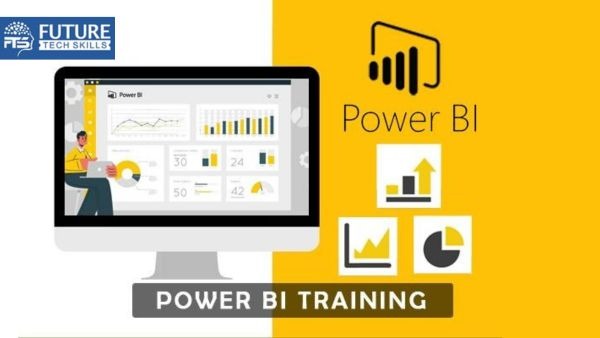
Power BI development involves creating reports and dashboards, while testing ensures data accuracy, functionality, and performance for reliable insights.
Best Training in Power BI Development & TestingIt is now easy to learn data visualization and testing. Our Power BI course will teach you how to develop, test, and analyze data using Power BI. You will learn a perfect way to create interactive reports, and test dashboards for accuracy. You will also learn about data security. The course covers Power BI features, performance optimization, and automation techniques. You will also understand how to apply your skills effectively. Whether you are new to Power BI or want to improve your expertise, this will help you build a successful career in data analytics and business intelligence. Top Features of Our Power BI Development & Testing Course
With the help ofthis course, you will build strong testing skills. This willalso help you in making a successful career in the field of data analytics, and visualization. Introduction to Power BILearn the basics with our Power BI Tutorial. Data Modeling and VisualizationCreate interactive dashboards and reports for better insights. Testing and DebuggingLearn data accuracy and fix issues efficiently. Automation and Performance OptimizationImprove reporting speed using automation techniques. Real-World ApplicationsGet hands-on training in the Power BI course in Noida. |
| Topic-1: What is Power BI and why use it? |
| Topic-2: Power BI ecosystem (Desktop, Service, Mobile, Report Server) |
| Class Notes |
| Assignment |
| Topic-1: System requirements |
| Topic-2: Initial setup and configurations |
| Class Notes |
| Assignment |
| Topic-1: Ribbon, Panes, and Views |
| Topic-2: Different types of views: Report, Data, and Model view |
| Class Notes |
| Assignment |
| Topic-1: Importing data from Excel, CSV, and databases |
| Topic-2: Connecting to online services (SharePoint, Azure, etc.) |
| Class Notes |
| Assignment |
| Topic-1: Introduction to Power Query Editor |
| Topic-2: Data cleaning and shaping (removing columns, renaming, filtering, etc.) |
| Class Notes |
| Assignment |
| Topic-1: Combining multiple data sources |
| Topic-2: Using “Append Queries” and “Merge Queries” |
| Class Notes |
| Assignment |
| Topic-1: Understanding relationships between tables |
| Topic-2: Cardinality and cross-filter direction |
| Class Notes |
| Assignment |
| Topic-1: Creating charts (bar, line, pie, etc.) |
| Topic-2: Tables and Matrix visuals |
| Class Notes |
| Assignment |
| Topic-1: Creating calculated columns |
| Topic-2: Introduction to DAX (Data Analysis Expressions) |
| Topic-3: Basic measures (sum, average, etc.) |
| Class Notes |
| Assignment |
| Topic-1: Advanced transformations (pivot/unpivot, custom columns) |
| Topic-2: Grouping data and aggregating |
| Class Notes |
| Assignment |
| Topic-1: Using DAX for time-based calculations (YTD, MTD, etc.) |
| Topic-2: Working with date tables |
| Class Notes |
| Assignment |
| Topic-1: Creating and using hierarchies (time, geography, etc.) |
| Topic-2: Enabling drill-down and drill-through capabilities in reports |
| Class Notes |
| Assignment |
| Topic-1: Customizing visualizations |
| Topic-2: Using slicers, filters, and bookmarks |
| Class Notes |
| Assignment |
| Topic-1: Custom formatting options for visuals and reports |
| Topic-2: Applying custom report themes |
| Class Notes |
| Assignment |
| Topic-1: Publishing reports to Power BI Service |
| Topic-2: Creating and sharing dashboards in Power BI Service |
| Class Notes |
| Assignment |
| Topic-1: Setting up row-level security |
| Topic-2: Managing user roles and permissions |
| Class Notes |
| Assignment |
| Topic-1: Optimizing reports for mobile viewing |
| Topic-2: Navigation and interaction in the mobile app |
| Class Notes |
| Assignment |
| Topic-1: CALCULATE, ALL, RELATED, and other advanced DAX functions |
| Topic-2: Context in DAX (Row and Filter context) |
| Class Notes |
| Assignment |
| Topic-1: Creating and using parameters in reports |
| Topic-2: Implementing What-if scenarios |
| Class Notes |
| Assignment |
| Topic-1: Star schema vs Snowflake schema |
| Topic-2: Fact and dimension tables |
| Class Notes |
| Assignment |
| Topic-1: Forecasting and clustering |
| Topic-2: Using quick insights for advanced analytics |
| Class Notes |
| Assignment |
| Topic-1: Improving report performance |
| Topic-2: Best practices for data modeling |
| Class Notes |
| Assignment |
| Topic-1: Understanding and creating dataflows |
| Topic-2: Using dataflows for ETL processes |
| Class Notes |
| Assignment |
| Topic-1: Creating and deploying paginated reports |
| Topic-2: Differences between paginated and regular reports |
| Class Notes |
| Assignment |
| Topic-1: Using AI visuals (Key Influencers, Decomposition Tree) |
| Topic-2: Integration with Azure Machine Learning |
| Class Notes |
| Assignment |
| Topic-1: Power BI and Excel integration |
| Topic-2: Power BI and SharePoint/Teams integration |
| Class Notes |
| Assignment |
| Topic-1: Setting up an on-premise data gateway |
| Topic-2: Scheduling data refreshes with gateways |
| Class Notes |
| Assignment |
| Topic-1: Importing and using custom visuals from the marketplace |
| Topic-2: Developing custom visuals using Power BI SDK |
| Class Notes |
| Assignment |
| Topic-1: Introduction to Power BI API |
| Topic-2: Embedding Power BI reports into applications (web, desktop) |
| Class Notes |
| Assignment |
| Topic-1: Data lineage and impact analysis |
| Topic-2: Advanced sharing and collaboration in workspaces |
| Class Notes |
| Assignment |
| Topic-1: Introduction to M Language |
| Topic-2: Writing custom M scripts for data transformation |
| Class Notes |
| Assignment |
| Topic-1: Creating deployment pipelines for Dev, Test, Prod environments |
| Class Notes |
| Assignment |
| Topic-1: Admin roles and permissions in Power BI |
| Topic-2: Monitoring usage and performance with Power BI Admin Portal |
| Class Notes |
| Assignment |
| Topic-1: Understanding Power BI Premium capacity |
| Topic-2: Working with large datasets and incremental refresh |
| Class Notes |
| Assignment |
| Topic-1: Establishing governance for large-scale Power BI deployments |
| Topic-2: Version control and documentation strategies |
| Class Notes |
| Assignment |